BLUCONNECT / BRANDS BETA
Make your Tesla part of your home — over Bluetooth, no account
Last updated: 16 November 2026
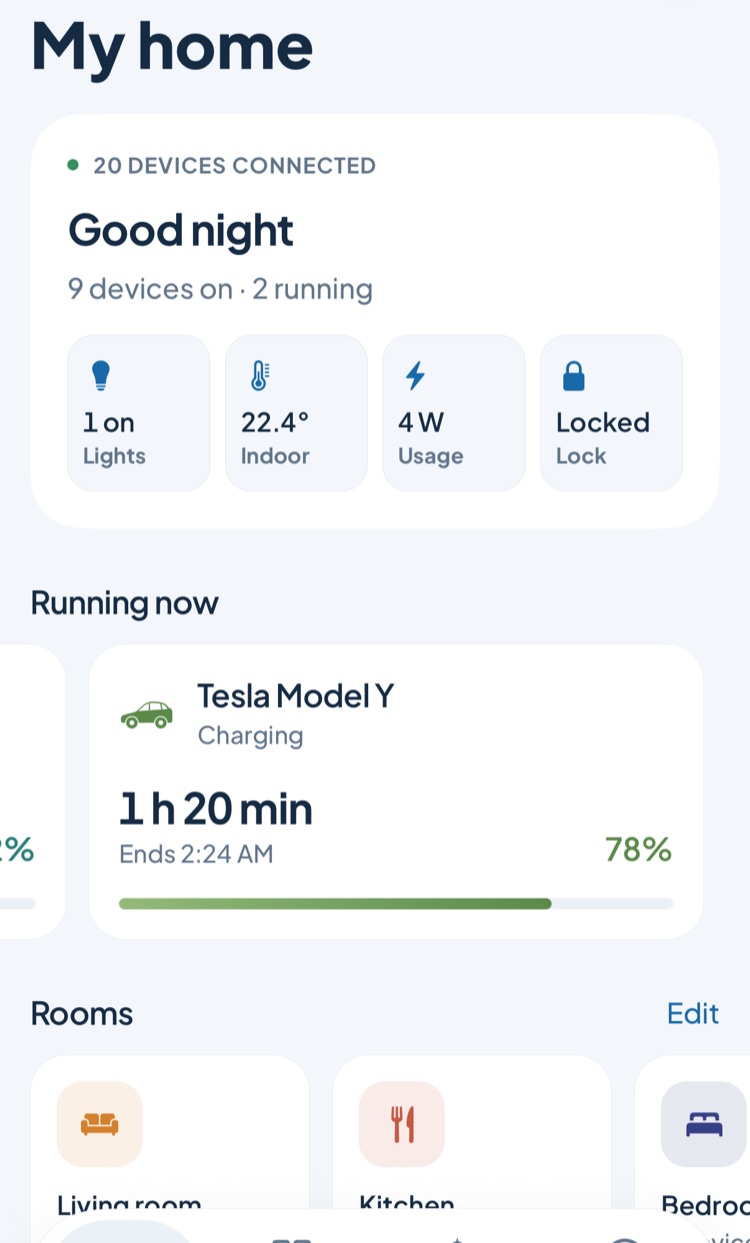
See your car in the same app as your heat pump, solar inverter and EV charger. In the garage or car park your phone connects to the car directly, using Tesla's official vehicle command protocol.
Beta · This support is new and has had limited testing on real devices. If something is missing or does not work, tell us via "Send feedback" on the device screen in the app or at this address; we fix things quickly based on your feedback: contact@bluconnect.app
On a phone with BluConnect installed, open this brand straight on its connect screen.
Connect in the app ↗Which devices?
- Model 3 and Model Y
- Model S and Model X (2021 and later)
- Cybertruck
How does it connect?
Add device → Tesla; enter the vehicle's VIN. Next to the car, the phone sends a key request over Bluetooth: approve it on the car screen and tap your key card on the center console. The phone is added to the car's key list with the driver role; the secret key stays only on that phone (Keychain) and never goes to your account or our servers.
What can you do?
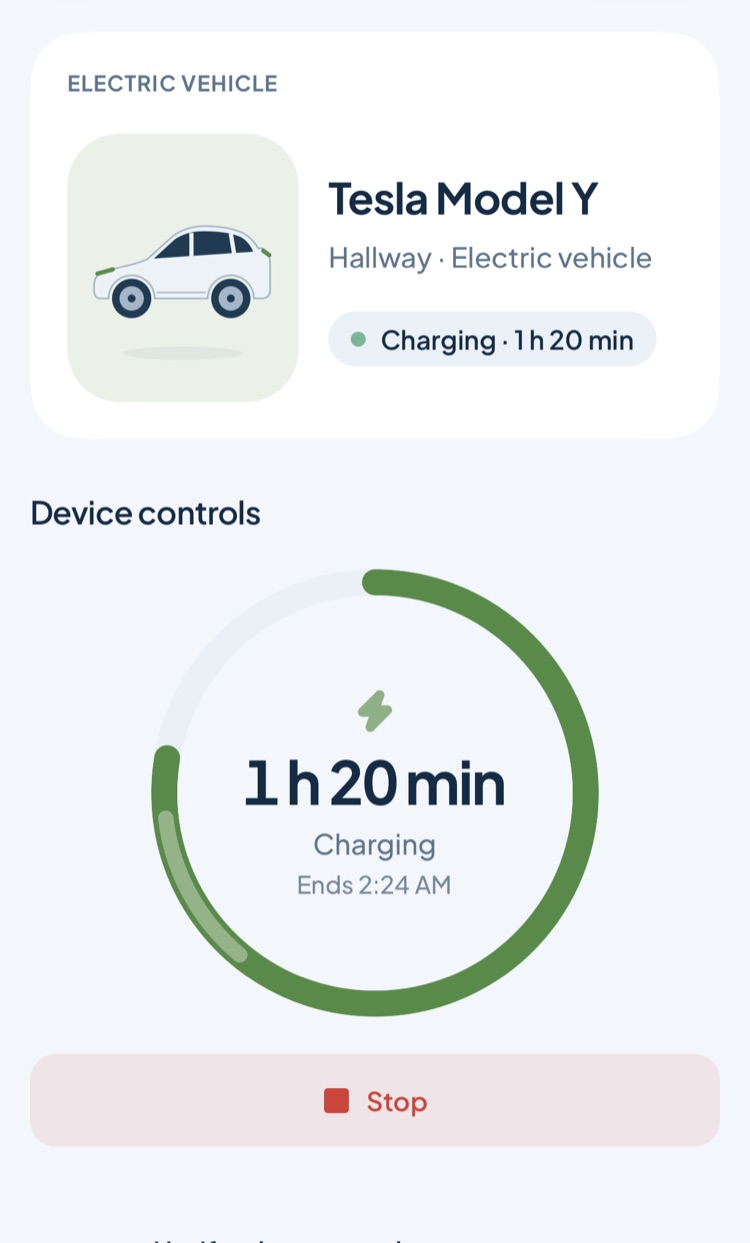
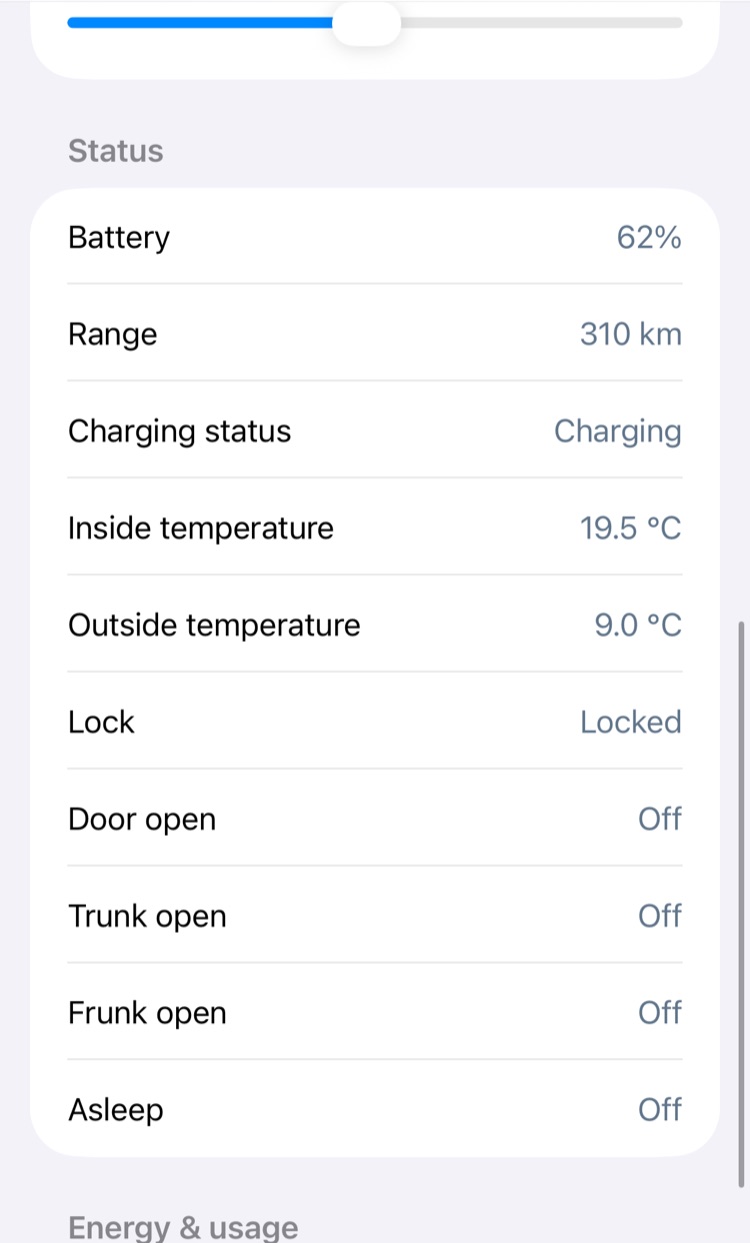
- Battery level, range, charging status, charging power and energy added
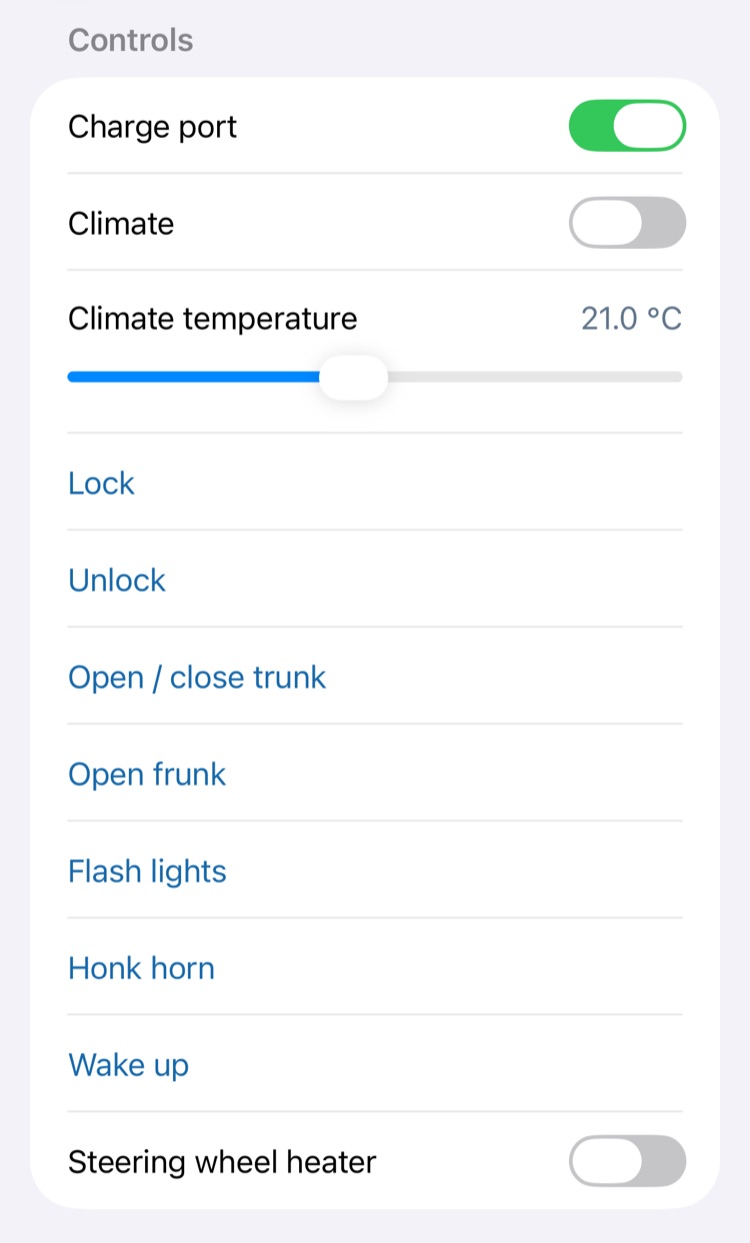
- Start and stop charging, charge limit and current, charge port
- Turn on climate, temperature, steering wheel heater
- Lock and unlock, trunk and frunk, horn and lights
- Notifications when charging starts and finishes; routines that charge on solar surplus or in cheap hours
FAQ
Do I need a Tesla account or a subscription?
No. The connection is Bluetooth between your phone and the car; Tesla's paid Fleet API is not used.
Does it work away from home?
No, it works within Bluetooth range (garage, car park). Away from the car you see the last known battery and range.
Does it drain the battery while the car sleeps?
Lock and door status is read while the car sleeps without waking it. Charging and climate data comes while the car is awake; the car is woken only when you send a command.
How do I remove the car?
Removing the device in the app deletes the key on the phone. You can delete the key entry from the car on the car screen under Locks.
Is this support ready?
It is new and marked Beta in the app; it was tested against Tesla's published protocol specification and test vectors but not yet on a car of our own. If something is off, let us know via Account → Feedback.
More brands and guides
- Control Bosch, Siemens and Neff appliances in one app (Home Connect)
- Control Arçelik, Beko and Grundig appliances in one app (HomeWhiz)
- Control DemirDöküm, Vaillant and Bosch boilers from your phone
- Bring Samsung SmartThings devices into one app
- Control LG ThinQ appliances, air conditioners and LG TVs in one app
- Control Philips Hue and WiZ lights locally, no account needed
- Control Xiaomi Mi Home, Roborock and Dreame devices locally
- Control Tuya and Smart Life devices locally, without the cloud
BluConnect is on the App Store in Türkiye; Android is coming soon. Start free; upgrade to Plus when you need it. Download on the App Store ↗ · See plans ↗